1 min to read
Links
Using links users can navigate a website and also across multiple websites.
Links are the building blocks of the entire web.
Using links users can navigate a website and also across multiple websites.
Note: A link can be text or image or any html element.
Syntax
<a href="url">My first link</a>
Example
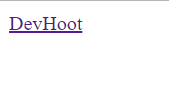
<a href="https://devhoot.ooo/">DevHoot</a>
href attribute
href specifies the destination address of a link.
The text between the tags is the visible part.
When you click on the link the browser goes to the link address.
target attribute
It specifies where the linked document will open.
It can have the following values :
- _blank - Opens in a new window or tab
- _self - Opens in the same window/tab (this is default)
- _parent - Opens in the parent frame
- _top - Opens in the full body of the window
- framename - Opens in a named frame
Image as link
<a href="/html/paragraphs/">
  <img src="smiley.jpg" alt="image as link" />
</a>






Comments